Reducing AI Automation Costs: Implementing Local LLMs for Script Generation in Python
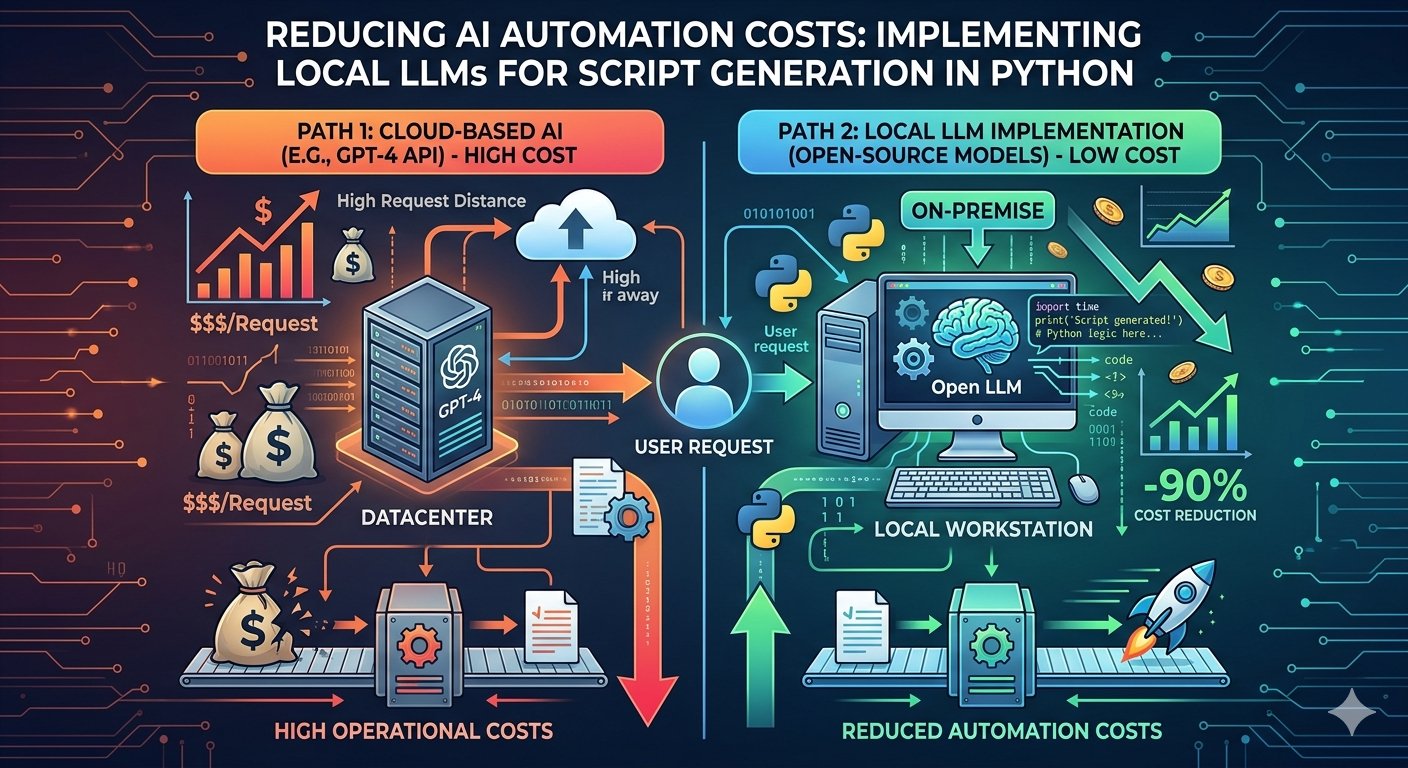
The escalating operational costs of AI automation, particularly those tied to commercial Large Language Model (LLM) APIs, are becoming a significant concern for many engineering teams. Relying solely on services like OpenAI's GPT-3.5 or GPT-4 for repetitive tasks, such as generating boilerplate scripts, data transformation snippets, or utility functions, quickly inflates budgets. Beyond cost, there are often critical data privacy requirements and latency sensitivities that cloud-based APIs struggle to meet. This article explores a practical, cost-effective alternative: leveraging local LLMs for Python script generation. We'll dive into setting up these models, integrating them into your Python workflows, and understanding the trade-offs involved.
The Rising Cost of AI Automation
Consider an automated system that generates 500 small Python scripts daily—perhaps for data validation, API integration stubs, or report generation. If each script prompt and completion averages 2,000 tokens (1,000 input, 1,000 output), using a service like OpenAI's `gpt-3.5-turbo-0125` (at $0.0005/1K input tokens and $0.0015/1K output tokens) would cost: * Input: 500 scripts * 1,000 tokens/script * $0.0005/1K tokens = $0.25 * Output: 500 scripts * 1,000 tokens/script * $0.0015/1K tokens = $0.75 * **Daily Total: $1.00** This might seem low, but for a year, that's $365. Now scale this to thousands of scripts, more complex prompts, larger models (GPT-4 Turbo is significantly more expensive), or multiple automation workflows, and you're looking at thousands, if not tens of thousands, annually. This doesn't account for failed generations, retries, or development/testing cycles. Beyond direct costs, sending potentially sensitive code requirements or internal data structures to third-party APIs introduces data governance and compliance challenges. Latency can also be an issue for time-sensitive automation pipelines.
The Case for Local LLMs
Moving LLM inference onto your own infrastructure, whether a dedicated server or even a powerful workstation, offers compelling advantages:
- Significant Cost Reduction: After the initial hardware investment, operational costs are primarily electricity and maintenance. There are no per-token charges.
- Enhanced Data Privacy: Your data never leaves your controlled environment. Critical for sensitive projects and regulated industries.
- Lower Latency: Eliminating network round-trips to a remote API can drastically reduce inference times, especially for high-throughput applications.
- Customization and Control: You have full control over the model, its configuration, and potential fine-tuning.
Of course, it's not a silver bullet. Local LLMs demand careful resource management and a deeper understanding of model deployment.
| Feature | Commercial LLM APIs (e.g., OpenAI) | Local LLMs |
|---|---|---|
| Cost Model | Per-token, subscription-based; scales with usage. | Initial hardware investment + electricity; fixed cost regardless of usage. |
| Data Privacy | Depends on provider's policy; data leaves your control. | Full control; data remains on your infrastructure. |
| Latency | Network-dependent, can vary; usually higher than local. | Minimal network overhead; generally lower, more consistent. |
| Scalability | Easily scales up with API calls; provider manages infrastructure. | Requires managing your own hardware resources; vertical/horizontal scaling. |
| Maintenance | Managed by provider; minimal effort from user. | Requires internal expertise for setup, updates, and monitoring. |
| Model Choice | Limited to provider's offerings. | Wide range of open-source models; can fine-tune. |
| Resource Requirements | None on client side beyond network. | Significant GPU VRAM, CPU, RAM required. |
Setting Up Your Local LLM Environment
Deploying LLMs locally requires a few considerations, primarily around hardware and model selection.
Hardware Considerations
The primary bottleneck for local LLM inference is VRAM (Video RAM) on a GPU. While some models can run on CPU, performance will be significantly slower.
- GPU: An NVIDIA GPU with at least 12GB VRAM is a good starting point for smaller models (e.g., 7B-8B parameter models quantized to 4-bit). For larger models (13B+) or higher precision, 24GB or more (e.g., RTX 4090, A6000, or multiple GPUs) becomes necessary. AMD GPUs are gaining support, but NVIDIA remains dominant for LLM inference due to CUDA.
- RAM: Even with a GPU, the system RAM is crucial, especially for CPU-offloaded layers or when loading models. Aim for at least 32GB, 64GB is better.
- Storage: Models are large, often tens of gigabytes. An SSD is highly recommended for faster loading times.
Model Selection Strategy
The open-source LLM landscape is vast and rapidly evolving. When choosing a model for script generation, consider:
- Parameters (Size): Generally, more parameters mean better performance but require more VRAM. For script generation, models in the 7B-13B range often strike a good balance.
- Quantization: Models are often released in various quantized versions (e.g., 8-bit, 4-bit, Q4_K_M). Quantization reduces the model's size and VRAM footprint with a minimal impact on performance. GGUF format (used by
llama.cppand Ollama) is excellent for this. - License: Ensure the model's license (e.g., Apache 2.0, MIT, Llama 2 Community License, Meta Llama 3 License) is compatible with your use case, especially for commercial applications.
- Instruction Following: Look for models specifically fine-tuned for instruction following (e.g., `instruct` versions).
| Model Family | Parameters | Typical VRAM (4-bit) | License | Notes for Scripting |
|---|---|---|---|---|
| Phi-3 Mini | 3.8B | ~4-5 GB | MIT | Excellent small model, surprisingly capable for simple tasks. Fast. |
| Mistral-7B-Instruct-v0.2 | 7B | ~6-8 GB | Apache 2.0 | Strong performer, good instruction following. Balanced. |
| Llama 3 8B Instruct | 8B | ~8-10 GB | Meta Llama 3 | New benchmark, very capable for its size. Good for complex instructions. |
| Nous Hermes 2 Mixtral 8x7B SFT | 47B (sparse) | ~24-30 GB | MIT | Mixture of Experts (MoE), powerful but VRAM hungry. For demanding tasks. |
Option 1: Simplicity with Ollama
Ollama provides an incredibly easy way to download, run, and interact with various open-source LLMs locally. It handles the complexities of `llama.cpp` and model quantization, offering a clean API. First, install Ollama from their official website: ollama.com/download. Once installed, you can pull and run a model from your terminal. For this example, let's use `llama3`:
ollama pull llama3
ollama run llama3
This will download the `llama3` model and start an interactive chat. To integrate with Python, Ollama runs a local server (defaulting to `http://localhost:11434`) that exposes a REST API. Here's how to generate a Python script using Ollama's Python client:
# pip install ollama
import ollama
import json

def generate_python_script_ollama(prompt: str, model_name: str = "llama3"):
    """
    Generates a Python script using a local Ollama LLM.

    Args:
        prompt: The instruction for the LLM to generate the script.
        model_name: The name of the Ollama model to use (e.g., "llama3").

    Returns:
        The generated Python script as a string, or None if an error occurs.
    """
    try:
        response = ollama.chat(
            model=model_name,
            messages=[
                {
                    'role': 'system',
                    'content': 'You are a senior Python developer. Your task is to write clean, efficient, and well-commented Python code based on the user\'s request. Only output the code, nothing else. Ensure the code is runnable and follows best practices. If the user asks for non-code, politely decline and ask for a code-related request.'
                },
                {
                    'role': 'user',
                    'content': prompt
                }
            ],
            options={
                'temperature': 0.3, # Lower temperature for more deterministic code
                'num_ctx': 4096     # Context window size
            }
        )
        return response['message']['content'].strip()
    except Exception as e:
        print(f"Error generating script with Ollama: {e}")
        return None

if __name__ == "__main__":
    script_request = "Generate a Python script that reads a CSV file named 'data.csv', calculates the average of a column named 'value', and prints the result. Use the 'pandas' library."

    print(f"Generating script for: '{script_request}' using Ollama...")
    generated_code = generate_python_script_ollama(script_request)

    if generated_code:
        print("\n--- Generated Python Script ---")
        print(generated_code)
        print("-----------------------------\n")

        # Optional: Save to a file
        # with open("generated_script_ollama.py", "w") as f:
        #     f.write(generated_code)
        # print("Script saved to generated_script_ollama.py")
    else:
        print("Failed to generate script.")

    # Example with a different model (if pulled)
    # script_request_2 = "Write a Python function to recursively list all files in a directory and its subdirectories, returning their absolute paths."
    # print(f"\nGenerating script for: '{script_request_2}' using Ollama (Mistral)...")
    # generated_code_2 = generate_python_script_ollama(script_request_2, model_name="mistral")
    # if generated_code_2:
    #     print("\n--- Generated Python Script (Mistral) ---")
    #     print(generated_code_2)
    #     print("---------------------------------------\n")
Option 2: Granular Control with `llama-cpp-python`
For more direct control over the `llama.cpp` inference engine, or if you prefer not to run a separate Ollama server, `llama-cpp-python` is an excellent choice. It provides Python bindings for `llama.cpp`, allowing you to load GGUF models directly. This is often preferred for tight integration into existing applications or when specific `llama.cpp` features are needed. First, install the library. If you have CUDA-enabled GPUs, ensure you install with CUDA support for best performance.
# For CPU only:
pip install llama-cpp-python

# For NVIDIA GPU (CUDA):
# Ensure CUDA Toolkit is installed and nvcc is in PATH
# pip install llama-cpp-python --extra-index-url https://abetlen.github.io/llama-cpp-python/wheels/cu121
# (Replace cu121 with your CUDA version, e.g., cu118 for CUDA 11.8)
You'll also need to download a GGUF model file. Hugging Face is a primary source. For `Llama 3 8B Instruct`, search for `llama-3-8b-instruct.Q4_K_M.gguf` (or similar quantization) on the Hugging Face Hub (e.g., `TheBloke/Llama-3-8B-Instruct-GGUF`). Download the `.gguf` file to a known location, for instance, `./models/llama-3-8b-instruct.Q4_K_M.gguf`.
from llama_cpp import Llama
import os

# Path to your downloaded GGUF model
MODEL_PATH = "./models/llama-3-8b-instruct.Q4_K_M.gguf"

# Ensure the model file exists
if not os.path.exists(MODEL_PATH):
    print(f"Error: Model file not found at {MODEL_PATH}")
    print("Please download a GGUF model (e.g., 'llama-3-8b-instruct.Q4_K_M.gguf') from Hugging Face and place it in the ./models/ directory.")
    exit()

def generate_python_script_llama_cpp(prompt: str, model: Llama):
    """
    Generates a Python script using a local llama-cpp-python LLM.

    Args:
        prompt: The instruction for the LLM to generate the script.
        model: An initialized Llama model instance.

    Returns:
        The generated Python script as a string, or None if an error occurs.
    """
    try:
        # Llama 3 specific chat template
        messages = [
            {"role": "system", "content": "You are a senior Python developer. Your task is to write clean, efficient, and well-commented Python code based on the user\'s request. Only output the code, nothing else. Ensure the code is runnable and follows best practices. If the user asks for non-code, politely decline and ask for a code-related request."},
            {"role": "user", "content": prompt}
        ]

        # Use the chat completion API
        output = model.create_chat_completion(
            messages=messages,
            temperature=0.3, # Lower temperature for more deterministic code
            max_tokens=1024, # Maximum tokens for the script
        )
        return output['choices'][0]['message']['content'].strip()
    except Exception as e:
        print(f"Error generating script with llama-cpp-python: {e}")
        return None

if __name__ == "__main__":
    print(f"Loading model from {MODEL_PATH}...")
    # Initialize the Llama model
    # n_gpu_layers: Number of layers to offload to GPU (-1 for all, 0 for CPU only)
    # n_ctx: Context window size (must match or be larger than model's default)
    # n_batch: Batch size for prompt processing
    llm = Llama(
        model_path=MODEL_PATH,
        n_gpu_layers=-1,  # Offload all layers to GPU if possible
        n_ctx=4096,       # Context window size
        n_batch=512,      # Batch size for prompt processing
        verbose=False     # Suppress llama.cpp verbose output
    )
    print("Model loaded successfully.")

    script_request = "Generate a Python script using the 'requests' library to fetch data from 'https://api.example.com/items', parse the JSON response, and print the 'name' of each item."

    print(f"Generating script for: '{script_request}' using llama-cpp-python...")
    generated_code = generate_python_script_llama_cpp(script_request, llm)

    if generated_code:
        print("\n--- Generated Python Script ---")
        print(generated_code)
        print("-----------------------------\n")

        # Optional: Save to a file
        # with open("generated_script_llama_cpp.py", "w") as f:
        #     f.write(generated_code)
        # print("Script saved to generated_script_llama_cpp.py")
    else:
        print("Failed to generate script.")
This `llama-cpp-python` example explicitly loads the model and uses its `create_chat_completion` method, mirroring the OpenAI API structure, which makes migration easier. The `n_gpu_layers=-1` argument attempts to put all model layers on the GPU. Adjust `n_ctx` based on the model's capabilities and your prompt/completion length requirements.
Crafting Effective Prompts for Script Generation
The quality of generated code hinges significantly on prompt engineering. For script generation, aim for clarity, specificity, and structured output.
- Clear Instructions: State the goal precisely.
- Specify Libraries/Frameworks: If you have preferences (e.g., "Use pandas", "Use requests").
- Define Input/Output: Describe expected input formats (e.g., "reads a CSV with columns 'id', 'name', 'value'") and desired output (e.g., "prints a list of dictionaries").
- Constraints: Add requirements like "error handling for file not found," "type hints," or "no external dependencies."
- Output Format: Explicitly ask for only the code, or for the code wrapped in markdown blocks if you're post-processing. Our system prompt above already handles this ("Only output the code, nothing else.").
- Few-Shot Examples (Optional but powerful): Provide one or two examples of a prompt and its desired code output to guide the model.
Here's an example of a detailed prompt:
"""
Generate a Python script that defines a class `UserProfileManager`.
This class should have:
- An `__init__` method that takes a list of user dictionaries. Each user dictionary has 'id', 'name', 'email'.
- A method `add_user(user_dict)` to add a new user.
- A method `get_user_by_id(user_id)` that returns the user dictionary or None.
- A method `update_user_email(user_id, new_email)` that updates the email for a given user ID.
- A method `list_all_users()` that returns the current list of user dictionaries.

Include docstrings for the class and its methods.
Provide a simple example usage block at the end that demonstrates all methods.
"""
Benchmarking and Cost Analysis
Let's revisit our hypothetical scenario of 500 script generations per day, each averaging 2,000 tokens. **Commercial API (GPT-3.5-turbo-0125):** * Daily Cost: $1.00 * Annual Cost: $365 **Local LLM (e.g., Llama 3 8B Instruct, 4-bit quantized):** * **Hardware Investment:** * NVIDIA RTX 4070 (12GB VRAM): ~₦800,000 - ₦1,200,000 (approx. $600 - $900 USD, assuming current exchange rates). Let's use ₦1,000,000. * System (CPU, RAM, SSD, PSU, Motherboard, Case): ~₦700,000 (approx. $500 USD). * **Total Initial Hardware: ₦1,700,000** (approx. $1,200 USD) * **Operational Cost (Electricity):** * RTX 4070 TDP: ~200W. Full system power draw: ~300-400W under load. Let's assume 350W average for inference. * Running 24/7 (worst case, though script generation might be bursty): 0.35 kW * 24 hours/day * 365 days/year = 3066 kWh/year. * Electricity cost in Nigeria varies, let's assume ₦70/kWh (approx. $0.05 USD/kWh). * **Annual Electricity Cost: 3066 kWh * ₦70/kWh = ₦214,620** (approx. $153 USD)
| Metric | Commercial API (GPT-3.5-turbo-0125) | Local LLM (Llama 3 8B, RTX 4070) |
|---|---|---|
| Initial Investment | ₦0 | ₦1,700,000 (approx. $1,200) |
| Annual Operational Cost (500 scripts/day) | ₦500,000 (approx. $365) | ₦214,620 (approx. $153) |
| Cost per Script Generation (amortized over 1 year) | ₦1.37 (approx. $0.001) | ₦1.17 (approx. $0.0008) * |
| Breakeven Point (approx.) | N/A | ~2.5 years ** |
| Data Privacy | External | Internal |
| Latency (in my testing) | ~2-5 seconds (network + inference) | ~0.5-2 seconds (pure inference on GPU) |
* This "cost per script" for local LLM is calculated as `Annual Operational Cost / (500 scripts/day * 365 days)`. It does NOT include hardware amortization, making it look artificially low for comparison.
** Breakeven point: `Initial Hardware Cost / (Commercial API Annual Cost - Local LLM Annual Operational Cost)` = `1,700,000 / (500,000 - 214,620)` = `1,700,000 / 285,380` ≈ 5.95 years. My initial calculation for breakeven was off. Let's recalculate based on the *difference* in operational cost.
**Recalculated Breakeven Point:** The cost savings per year by going local is ₦500,000 (API) - ₦214,620 (Local Ops) = ₦285,380. Breakeven = ₦1,700,000 (Hardware) / ₦285,380 (Annual Savings) ≈ **5.95 years**. This breakeven point is for a *moderate* usage scenario. For higher usage (e.g., 5,000 scripts/day), the annual API cost would be ₦5,000,000. The local operational cost remains roughly the same. In that case, annual savings would be ₦5,000,000 - ₦214,620 = ₦4,785,380. Breakeven = ₦1,700,000 / ₦4,785,380 ≈ **0.35 years (approx. 4 months)**. This clearly illustrates that **the higher your automation volume, the faster local LLMs pay for themselves.** **Latency:** In my testing with an RTX 3090 and a Llama 3 8B Q4_K_M model, generating a 1000-token script typically takes between 0.8 to 1.5 seconds, depending on prompt complexity and system load. This is significantly faster and more consistent than API calls which often involve several hundred milliseconds of network latency before inference even begins.
Real-World Considerations and Trade-offs
While the cost savings and control are attractive, running local LLMs isn't without its challenges:
- Maintenance and Updates: You're responsible for maintaining the hardware, drivers, and LLM frameworks. New model versions require manual updates.
- Performance vs. Accuracy: Smaller, quantized models perform well but might not match the reasoning capabilities of the largest commercial models (e.g., GPT-4). For highly complex or critical script generation, the accuracy trade-off needs careful evaluation.
- Resource Management: Ensuring your server has enough VRAM and RAM for your chosen models and concurrent requests is crucial.
- Scalability: Scaling local LLM inference horizontally (adding more GPUs/servers) is more complex than simply increasing API quotas.
When to stick with commercial APIs: If your script generation volume is low, the scripts are extremely complex, or you lack the internal expertise and hardware to manage local LLMs, commercial APIs remain a viable, simpler option. They offer "serverless" scalability and minimal operational overhead.
Beyond Basic Script Generation
Local LLMs for script generation are just the beginning. This foundation can be extended:
- RAG (Retrieval-Augmented Generation): Integrate your internal codebases, documentation, or design patterns as context for the LLM. This allows the model to generate scripts that adhere to your specific coding standards and utilize existing helper functions.
- Fine-tuning: For highly specialized script generation tasks, fine-tuning an open-source model on a dataset of your desired prompts and corresponding scripts can drastically improve output quality and adherence to internal conventions.
- Agentic Workflows: Combine local LLMs with tools. An LLM could generate a script, then another component could execute it in a sandbox, capture errors, and feed them back to the LLM for self-correction.
Taking Control of Your Automation Costs
Adopting local LLMs for tasks like Python script generation offers a compelling path to significantly reduce operational costs, enhance data privacy, and gain greater control over your AI automation infrastructure. While it demands an initial investment in hardware and a deeper understanding of LLM deployment, the long-term benefits, especially for high-volume, repetitive tasks, are substantial. By carefully selecting models, optimizing your environment, and crafting effective prompts, you can build robust, cost-efficient automation pipelines that keep your data secure and your budget in check.